Learn how to write ChatGPT Prompt for Cinematic Photos that look like movie scenes. Mentor-guided tips, real examples, and ready prompts.
Introduction
After helping more than 50 creators turn flat AI images into cinematic visuals, I’ve learned one simple truth:
cinematic images aren’t generated — they’re directed.

If you’ve ever felt your AI photos look “good but forgettable,” don’t worry. You’re not missing talent. You’re just missing a filmmaker’s mindset — and I’ll walk you through it step by step.
AI Prompts
These prompts are written the way I teach my students to write — clear, intentional, and emotionally driven.
Use them as-is first. Then tweak them once you understand why they work.
Cinematic Portrait Photo Prompt

Prompt: Ultra-realistic 4K portrait of as the reference image, with the same face, same identity, and no facial changes, standing near a window during golden hour, softly gazing outward with an emotional expression as natural light gently falls across the face. The subject is an adult person, wearing simple, cinematic-style clothing with natural textures. Soft golden-hour window light combined with high-contrast lighting creates dramatic shadows and depth, enhanced by a shallow depth of field with a 35mm lens look. The scene is set in an indoor cinematic environment near a window, featuring muted cinematic color grading, subtle film grain, realistic skin texture with visible pores, and a movie still–quality professional photography style with ultra-realistic detail.
Cinematic Night Scene Prompt
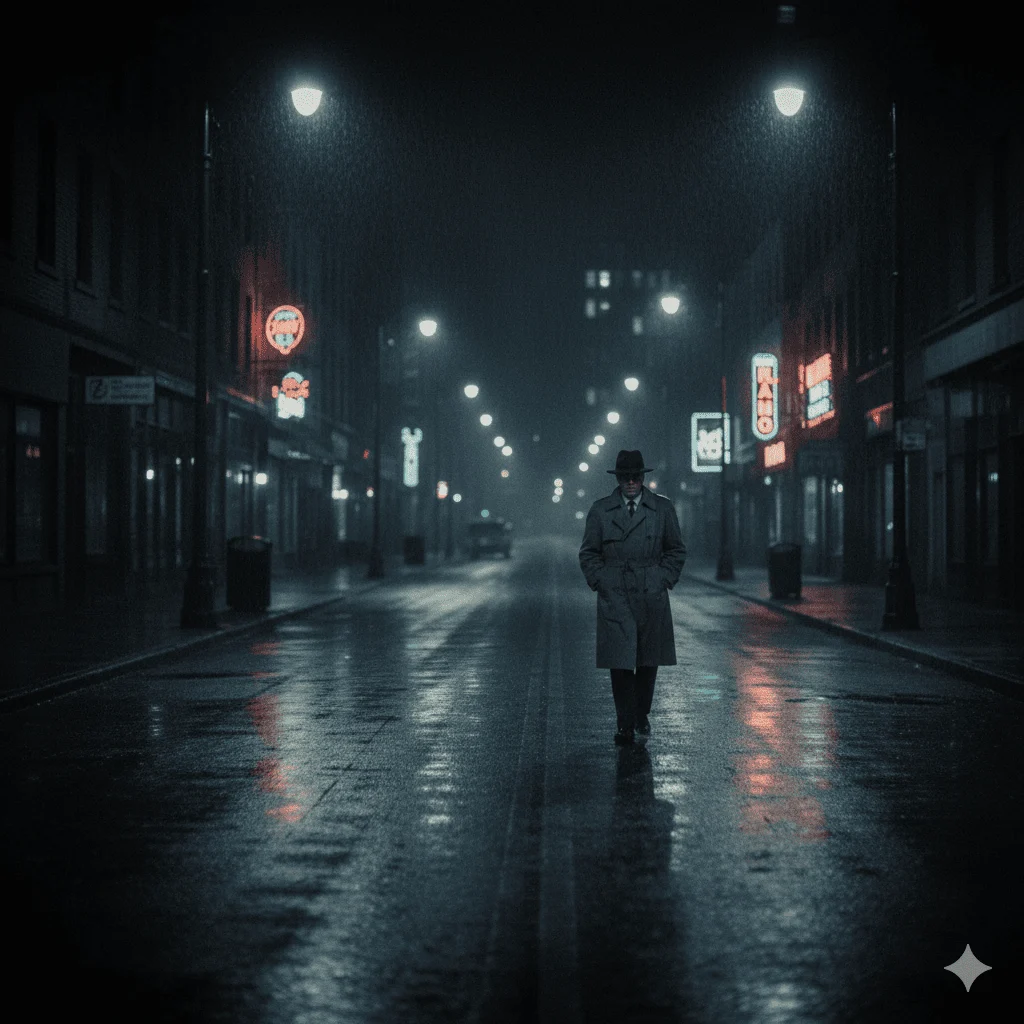
Prompt: Ultra-realistic 4K portrait of as the reference image, with the same face, same identity, and no facial changes, captured while walking alone under glowing streetlights at night as light rain falls, creating reflections on the wet road and a deeply moody atmosphere. The subject is an adult character, wearing dark, cinematic clothing suitable for a noir-style scene. Cinematic night lighting with neon highlights and controlled contrast casts realistic shadows and enhances facial depth, while surrounding lights softly reflect off rain-soaked surfaces. The environment is an urban nighttime street scene with neon lights in the background, dark tones, and a dramatic film noir style. Realistic skin texture with fine detail, ultra-detailed composition, movie scene framing, and a professional photography style that feels like a high-quality cinematic still.
Cinematic Action Shot Prompt
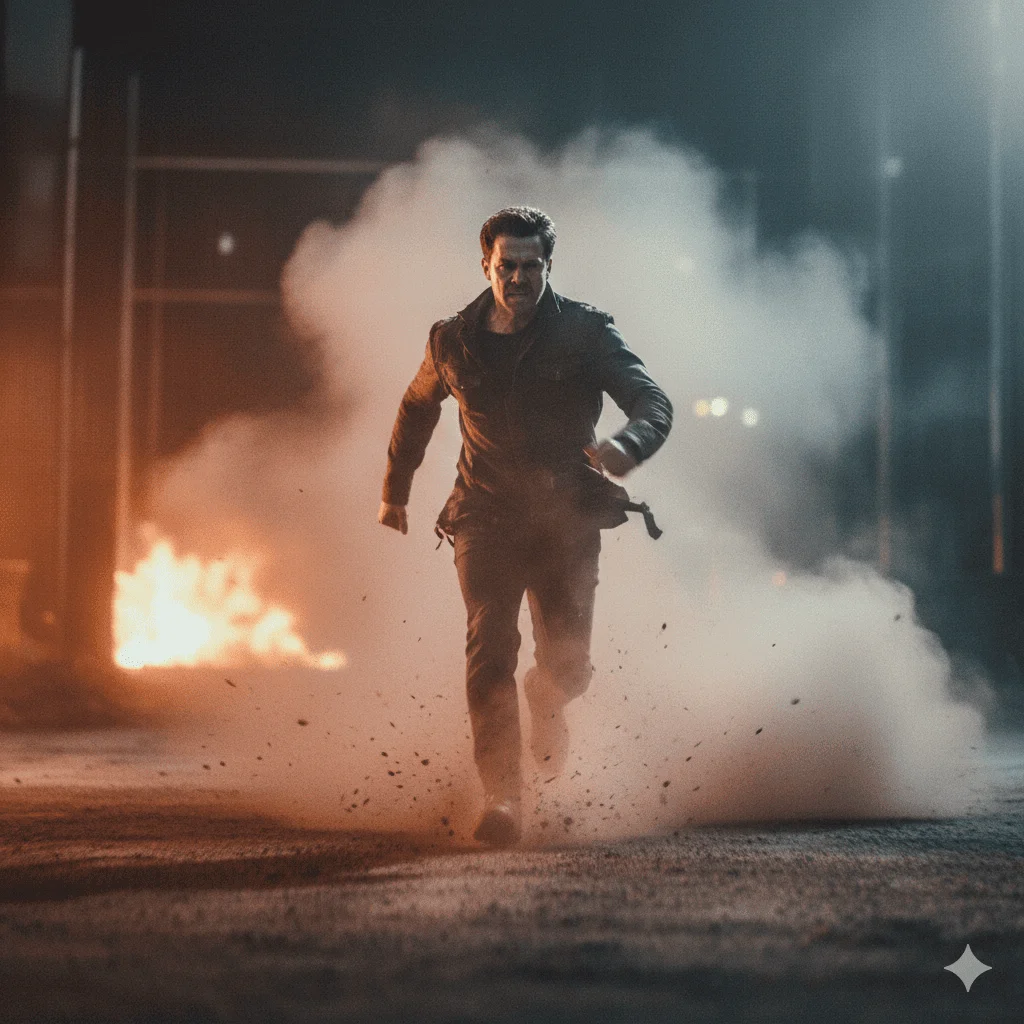
Prompt: Ultra-realistic 4K portrait of as the reference image, with the same face, same identity, and no facial changes, captured while running through thick dust and smoke, with an intense facial expression and powerful forward motion. The subject is an adult character, wearing cinematic action-style clothing with realistic fabric textures. Dramatic, high-contrast lighting cuts through the smoke, creating strong highlights and deep shadows, while a wide-angle lens perspective and dynamic motion blur enhance the sense of speed and urgency. The environment is an epic cinematic scene filled with dust, smoke, and atmospheric depth, enhanced by cinematic color grading, ultra-detailed realistic textures, and a professional movie-still photography style with intense realism.
Cinematic Landscape Prompt
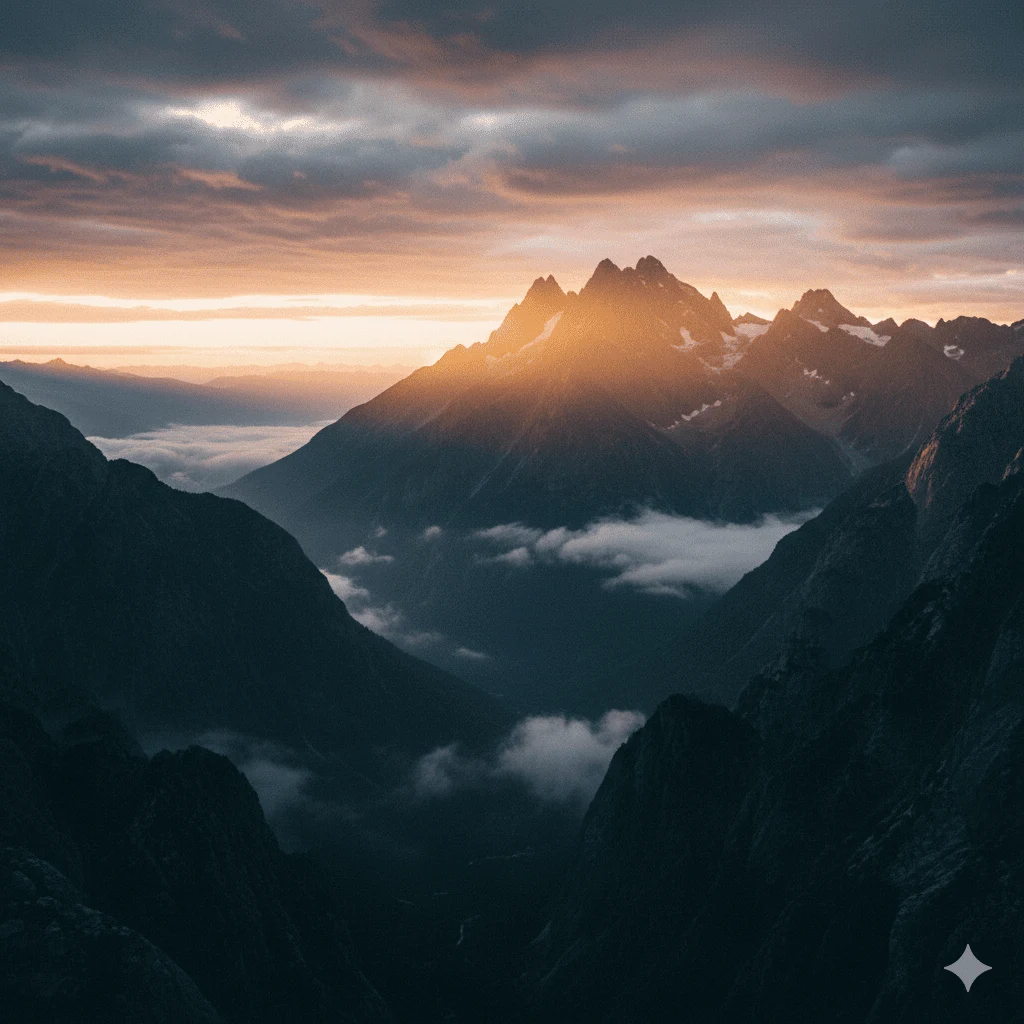
Prompt: Ultra-realistic 4K cinematic wide landscape shot of towering mountains at sunrise, with soft mist floating through the valleys and dramatic clouds stretching across the sky, creating an epic sense of scale. Cinematic sunrise lighting blends warm golden tones with cool blue shadows, producing striking color contrast and atmospheric depth. The environment features a breathtaking mountain landscape with layered peaks, drifting fog, and vast open space, captured with a wide-angle cinematic perspective. Ultra-realistic textures in rock formations and clouds, subtle film grain, balanced highlights and shadows, and film photography–style cinematic color grading, resulting in a powerful movie-background–quality scene with immersive realism.
Cinematic Emotional Close-Up Prompt
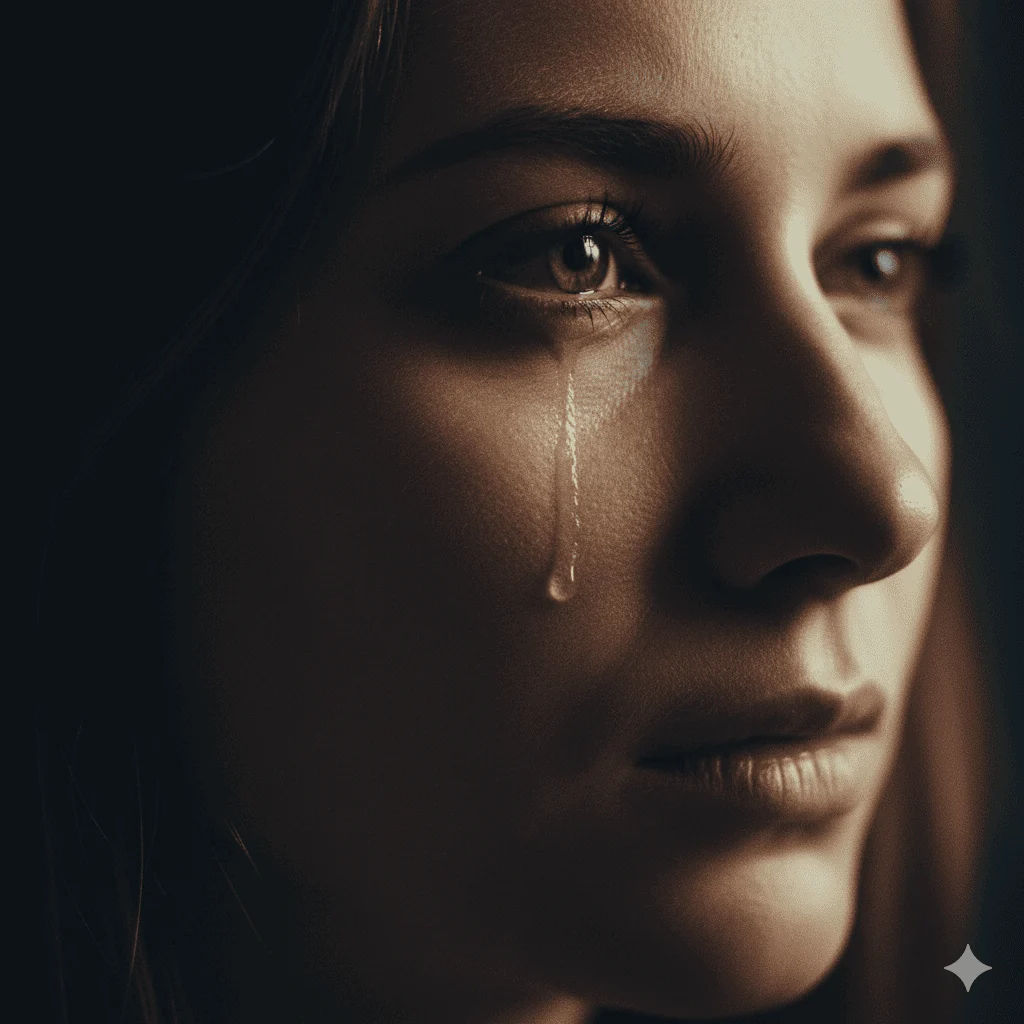
Prompt: Ultra-realistic 4K portrait of as the reference image, with the same face, same identity, and no facial changes, captured in a close-up shot with tears glistening in the eyes, conveying deep emotional intensity. The subject is an adult person, wearing simple, neutral-toned clothing. Soft rim lighting highlights the contours of the face against a dark, moody background, while shallow focus with a 50mm lens look draws attention to the expressive eyes. Dramatic shadows, realistic skin texture with fine pores, subtle film grain, and cinematic color grading enhance the emotional depth. The scene is framed with a professional cinematic portrait style, ultra-realistic detail, and a movie-quality emotional impact.
Also View : Gemini AI Christmas Photo Prompt
How to Use Prompts
Here’s the exact workflow I’ve taught dozens of creators — and it works every time.
Step 1: Copy one prompt and don’t edit it yet
Step 2: Generate at least 3–5 variations
Step 3: Observe what feels cinematic and what feels fake
Step 4: Add one emotion or lighting tweak
Step 5: Generate again and compare
This isn’t about speed. It’s about training your eye.
Customization / Tips
Now let me share the stuff people usually learn after months of trial and error.
Insider Tip 1: Don’t Over-Explain
When prompts get too long, AI loses focus.
Strong images come from clear intent, not endless adjectives.
Insider Tip 2: Always Hint at a Story
Instead of “a man standing,” think:
“a man waiting,” “a man leaving,” or “a man realizing something.”
Insider Tip 3: Cinematic Color Comes Last
Lighting and emotion first.
Color grading is the final polish — not the foundation.
FAQs
1. What actually makes an image cinematic?
Cinematic images feel like a moment in a story. They use dramatic lighting, depth, emotion, and intentional composition.
2. Can these prompts be used with Gemini AI?
Absolutely. These prompts are written to work smoothly with Gemini AI and most image generators.
3. Should beginners copy prompts exactly?
Yes. Copy first. Learn why it works. Customize later.
4. How do I make AI images feel less artificial?
Add imperfections — film grain, shadows, subtle blur, and realistic lighting direction.
Conclusion
Creating cinematic AI photos isn’t about using the fanciest tools or writing the longest prompts. It’s about thinking like a filmmaker, guiding the AI with clear intent, and focusing on lighting, emotion, and story.
The prompts shared here are just the starting point — the real magic happens when you experiment, observe, and refine. Remember, even the most successful creators I’ve mentored started with imperfect images. What set them apart was persistence, curiosity, and a willingness to learn from each attempt.
1 thought on “ChatGPT Prompt for Cinematic Photo: Create Stunning Movie-Like AI Images”